

Do you find it hard to stay focused and manage your time while studying? Now, with so many digital tools out there, you can boost your productivity and learning.
In today's world, study apps are key for students. Apps like Forest and Tide help you stay focused and manage your time. Note-taking apps like Notion also play a big role.
This article will compare different study apps. We'll look at their benefits and features. This will help you pick the best one for you.
Understanding the Importance of Study Apps
Study apps are changing education by giving students personalized learning, better organization, and more efficiency. These apps are key for students, with features for all kinds of learning needs.
Boosting Learning Efficiency
Apps like Forest and Tide help students stay on track. They use the Pomodoro timer and games to keep focus. This makes learning more effective.
Key Features for Efficiency:
- Pomodoro timer for focused study sessions
- Gamification elements to encourage engagement
- Customizable study plans to suit individual needs
Enhancing Focus and Organization
Apps like Any.do and Todoist help with managing tasks. They let students organize their work and deadlines well. Notion and Evernote offer flexible ways to take notes, improving organization.
| App | Primary Function | Key Features |
|---|---|---|
| Any.do | Task Management | To-do lists, Reminders, Collaboration |
| Notion | Note-taking | Flexible note organization, Task management integration |
| Evernote | Note-taking | Note organization, Tagging, Web clipping |
Adapting to Different Learning Styles
Study apps meet different learning needs with various features. Flashcard apps help with memorization, and task management apps aid in organization. This makes study apps essential for students with different learning styles.
By using these apps, students can tailor their learning to fit their needs. This leads to better grades and a more effective study routine.
Popular Study Apps on the Market
Education is getting more personal, and top study apps are at the forefront. People want tools that make learning better and more productive. Students and teachers are looking for apps that help them understand and remember more.
Overview of Top Study Apps
Today's market has many study apps, each with its own strengths. Anki is known for its spaced repetition method. Quizlet is famous for its flashcards. Microsoft OneNote and Notion are loved for their note-taking features.
Unique Features of Each App
Anki stands out for its spaced repetition, which helps remember things for a long time. Quizlet offers different study modes like flashcards and games. This makes it good for various learning styles.
Microsoft OneNote and Notion are great for organizing notes. OneNote works well with Microsoft Office tools. Notion is praised for its flexibility in creating study templates.
App Ratings and User Reviews
Users love these apps for their effectiveness and ease of use. Anki is known for helping students remember lots of information. Quizlet's interactive features make studying fun.
"Anki has been a game-changer for my studies. The spaced repetition feature has helped me retain information more effectively than any other method I've tried."
When picking a study app, look at user reviews and ratings. They show how well the app works in real life and any issues it might have.
Study App Comparison Criteria
To find the perfect study app, it's important to look at certain criteria. When comparing study apps, several factors are key. These factors affect how well an app works and how easy it is to use.
Ease of Use and Interface
The ease of use and the quality of the user interface are very important. An app with a clean and intuitive design can make learning better. For example, Forest is known for its simple and engaging design. This makes it easier for users to stay focused.
Cost and Subscription Models
The cost and subscription models of study apps vary a lot. Some apps have free versions with limited features. Others need a subscription for full access. Notion, for example, is versatile and offers different pricing plans to meet various needs.
Compatibility with Devices
Compatibility with different devices is also key. A study app that works on many platforms, like smartphones, tablets, and desktops, is more flexible. This means users can study anywhere, anytime, without being stuck to one device.
By looking at these criteria, users can choose a study app that fits their learning style and needs.
Notable Study Apps for Different Subjects
Some study apps stand out for helping students in various subjects. They meet the unique needs of each subject, making learning better and results higher.

Science and Math Focused Apps
Apps like Anki are key for tackling tough science and math. Anki uses spaced repetition to help remember important terms and formulas. This makes it easier to recall them when it counts.
- Interactive Simulations: Some apps let students play with different variables. This helps them grasp scientific concepts better.
- Step-by-Step Problem Solving: Math apps provide detailed solutions. This helps students see the logic behind math problems.
Language Learning Apps
Apps like Duolingo have changed language learning. They make learning fun with games and lessons for all levels.
- Personalized Learning Paths: Many apps tailor learning to the user's pace and interests.
- Real-Life Conversations: Some apps teach how to talk in everyday situations, preparing for real-life chats.
Reading and Writing Support
Apps like Grammarly help improve reading and writing. Grammarly checks grammar and suggests ways to make sentences clearer.
- Plagiarism Detection: Some apps can spot plagiarism, ensuring work is original.
- Style Guides: These apps include guides for following specific writing styles and formats.
Features to Look for in a Study App
To get the most out of a study app, look for key features. The best study apps have functionality, ease of use, and features for different learning needs.
Goal Setting and Progress Tracking
Good study apps let you set goals and track your progress. Apps like Todoist and Notion help you break down big tasks into smaller ones. You can then see how far you've come.
Tracking your progress keeps you motivated. It also helps you adjust your study plan to reach your goals.
Collaboration Tools for Group Projects
Collaboration tools are key for group projects. Apps like Trello and Asana have features for teamwork. These include assigning tasks, setting deadlines, and chatting in real-time.
These tools make sure everyone is working together well. They help your team work more efficiently and effectively.
Offline Access and Usability
Offline access is important for study apps. It lets you study even without the internet. Apps like Evernote and OneNote offer this feature. So, you can study anywhere, anytime.
When looking at study apps, make a study apps comparison table. It helps you see how different apps compare. This makes it easier to find the right app for you.
Pros and Cons of Free vs. Paid Study Apps
Free and paid study apps meet different needs. Knowing their pros and cons helps students learn better. The choice between free and paid apps affects how well you learn.
Cost-Effectiveness of Free Apps
Free study apps are great for students with little money. Apps like Forest have useful features for learning. But, they might have ads or less premium content.
- Advantages: No initial cost, accessible to everyone.
- Disadvantages: May include ads, limited features.
Benefits of Premium Features
Paid study apps offer more for serious learners. Apps like Notion have advanced features like detailed analytics and extra storage. These are key for dedicated students.
- Enhanced functionality: More features and better performance.
- Better support: Priority customer support.
When to Invest in a Study App
Should you pay for a study app? It depends on your needs. If you need advanced features or are serious about studying, a paid app might be a good choice.
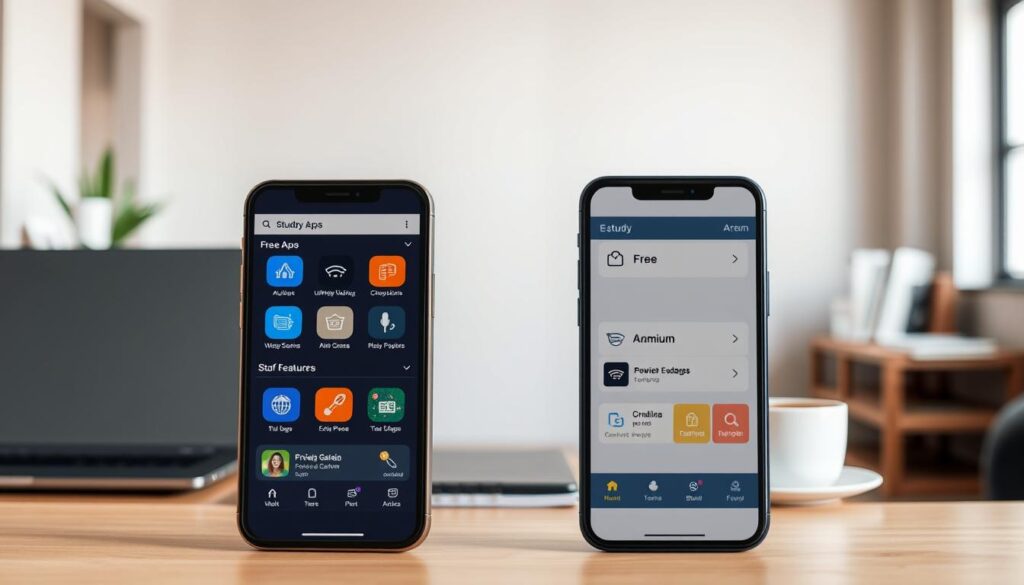
Choosing between free and paid study apps requires careful thought. Consider your study goals and budget. By weighing the pros and cons, you can pick the best app for your learning needs.
Tips for Choosing the Right Study App
There are many study apps out there. Finding the right one to boost your productivity takes some thought. It's all about knowing what you need and what you like.
Assessing Your Learning Goals
Start by figuring out what you want to learn. Do you want to get better at math or learn a new language? Knowing your goals helps you choose the right app.
- Determine the subjects or areas you need to focus on.
- Consider the level of difficulty you're currently at.
- Think about the type of content that engages you best (e.g., videos, interactive quizzes, etc.).
Trying Out Different Apps
Trying out different apps is a great way to find the right one. Many apps offer free trials or basic versions for free.
Key features to look for during your trial:
- Ease of navigation and user interface.
- Availability of interactive features.
- Compatibility with your devices.
Reading User Reviews and Feedback
User reviews offer insights into an app's good and bad points. Look for comments on customer support, updates, and overall satisfaction.
Notion and Evernote are examples of apps praised for their versatility and user satisfaction. Pay attention to what people like and dislike to get a full picture.
By following these tips, you can compare study apps and pick the best one for you. This will help you improve your study apps ranking and boost your productivity.
Integrating Study Apps into Your Routine
To use study apps well, you need a plan to fit them into your daily study time. This way, you can make the most of them to improve your learning.
Creating a Consistent Study Schedule
It's key to have a regular study routine to get the most from study apps. Apps like Forest and Tide make studying more focused by turning it into a game. This helps you stay on track with your study goals.
Plan out your study time for studying, reviewing, and practicing. Use your apps to remind you, track your progress, and stay organized.
Using Apps for Active Learning
Active learning means you're actively engaging with what you're studying. Apps like Notion and OneNote help by letting you organize your notes and make connections. This makes learning more interactive.
To get the most out of these apps, take detailed notes, summarize key points, and review often. This helps you understand and remember better.
Balancing Study Apps with Other Resources
Study apps are great, but they should be part of a bigger study plan. Textbooks, online courses, and study groups add variety to your learning. They can work well with study apps.
Find what each resource does best and mix them into your study routine. Use apps for organization and practice, textbooks for deep reading, and groups for discussion.
By mixing study apps into your routine, you can make a strong study plan. Use a study app comparison chart and study apps features comparison to pick the best apps for you.
Future Trends in Study Apps
The world of study apps is changing fast. New tech and what learners want are driving these changes. We're seeing new trends that will shape study apps of the future.
AI-Driven Personalization
Apps like Notion are using AI for personalized learning. This trend will keep growing. AI will help students find where they need to get better.
Gamification in Learning
Gamification, seen in apps like Forest, is getting more popular. It makes learning fun and engaging. This boosts student motivation.
Predictions for the Next Big Study App
As tech gets better, study apps will too. We might see apps with virtual and augmented reality. This will make learning even more real and exciting.
When picking a study app, think about these new trends. They can help you learn better. A study apps comparison table can keep you up to date and help you choose the right tool.